> For the complete documentation index, see [llms.txt](https://docs.verge.aero/llms.txt). Markdown versions of documentation pages are available by appending `.md` to page URLs; this page is available as [Markdown](https://docs.verge.aero/drone-show-software/verge-design-studio/ai-design-tools.md).

# AI Design Tools

Verge Aero's platform includes AI-powered tools to help drone show designers move faster, from early narrative brainstorming through detailed formation design. These generative tools are available in Verge Design Studio, as well as the Storyboard tool within the Verge Web Portal.

## AI in Verge Studio

Design Studio includes several tools powered by generative AI, letting designers turn prompts or photographs into drone-show-ready imagery without building every formation by hand.

### AI Shape

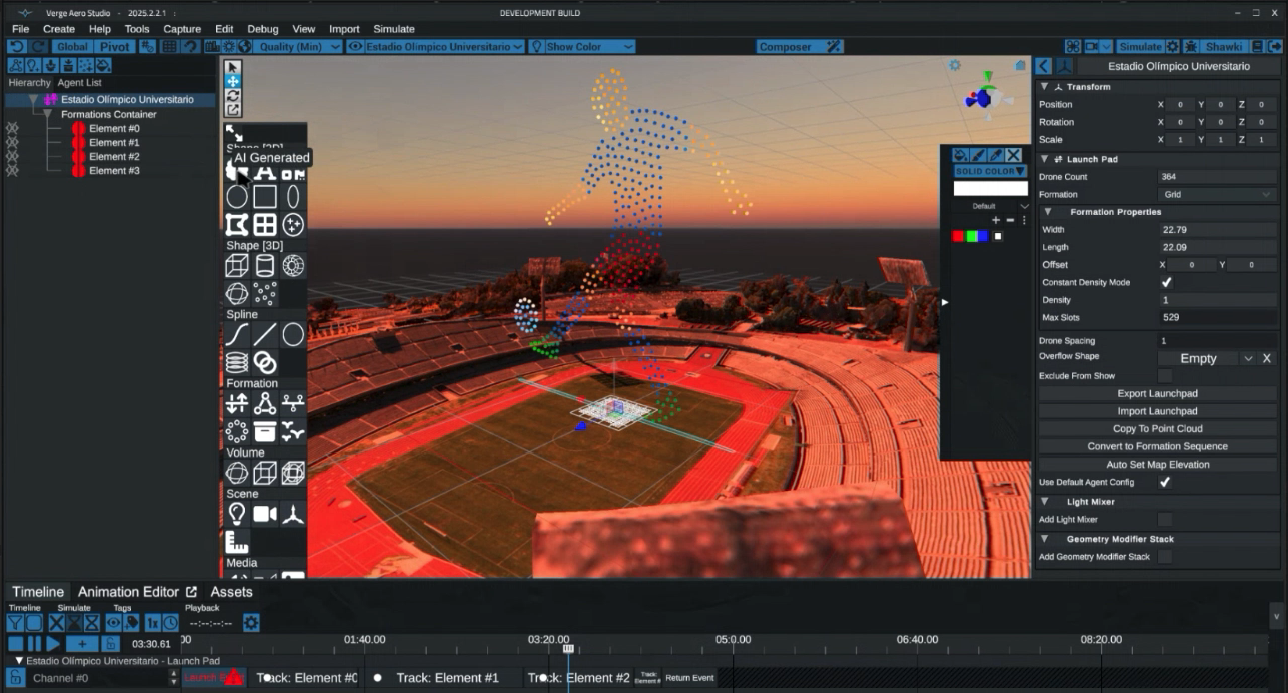
The AI Shape tool quickly creates a simple 2D shape drone show formation from a text or image prompt. It's a fast way to generate basic outline and shape formations without building them by hand.

<figure><img src="https://1654204364-files.gitbook.io/~/files/v0/b/gitbook-x-prod.appspot.com/o/spaces%2FakGR2bVCZLTNoe2hkqeR%2Fuploads%2Fgit-blob-c5c5517d51fad1b1774e273423b776306aeb4895%2FAI-shape-2d-design-tool.png?alt=media" alt=""><figcaption><p>The AI Shape tool generating a simple 2D outline formation from a prompt</p></figcaption></figure>

### Formation Graph

The AI Generated node creates a drone show formation from a text prompt or an uploaded image. Once a launchpad is set up, a designer adds an AI Generated element to their show content, enters a prompt (or uploads a reference image), and a formation is generated within moments. Generated imagery can then be scaled, manipulated, and animated like any other show element.

<figure><img src="https://1654204364-files.gitbook.io/~/files/v0/b/gitbook-x-prod.appspot.com/o/spaces%2FakGR2bVCZLTNoe2hkqeR%2Fuploads%2Fgit-blob-28b1aee4329b234f236b6aeb60edde3c56e43d89%2FAI-Formation-Graph_Rooster_Studio-Render-%2B-Show-Photo.jpg?alt=media" alt=""><figcaption><p>An AI Generated formation in the Formation Node Graph, its Studio render, and the resulting show photo</p></figcaption></figure>

### Formation Graph: AI Transformation Node

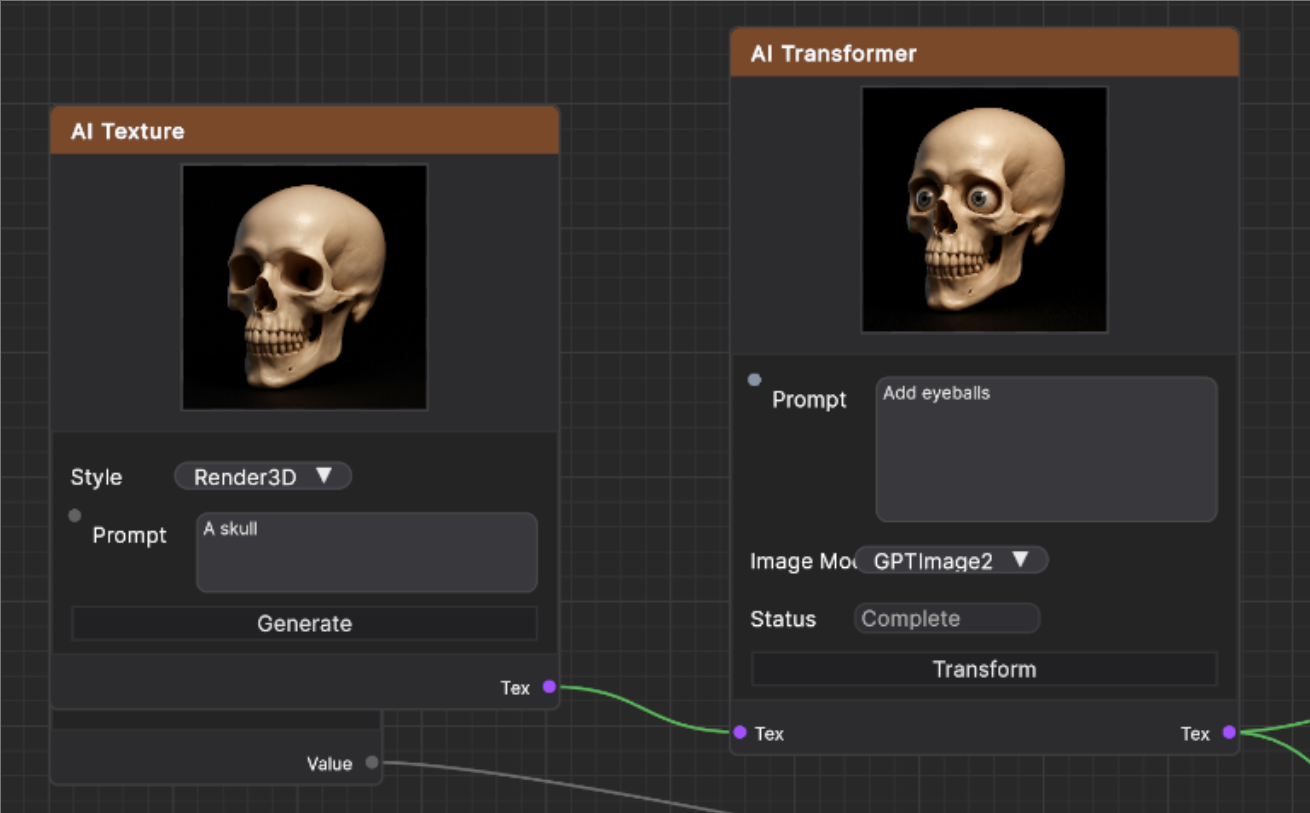
The AI Transformation node reshapes an existing image using a text prompt, giving designers a fast way to iterate on a formation's look without starting over. This offers a quick path from a rough idea to a refined formation, with full creative control over the result.

<figure><img src="https://1654204364-files.gitbook.io/~/files/v0/b/gitbook-x-prod.appspot.com/o/spaces%2FakGR2bVCZLTNoe2hkqeR%2Fuploads%2Fgit-blob-75aff7f11656e78d5f8da34bb390111c13ef5eab%2FAI-Transformation-Node-Skull-Eyeballs.png?alt=media" alt=""><figcaption><p>The AI Transformation node adding eyeballs to a generated skull texture via a text prompt</p></figcaption></figure>

### Formation Graph: AI Simplify Node

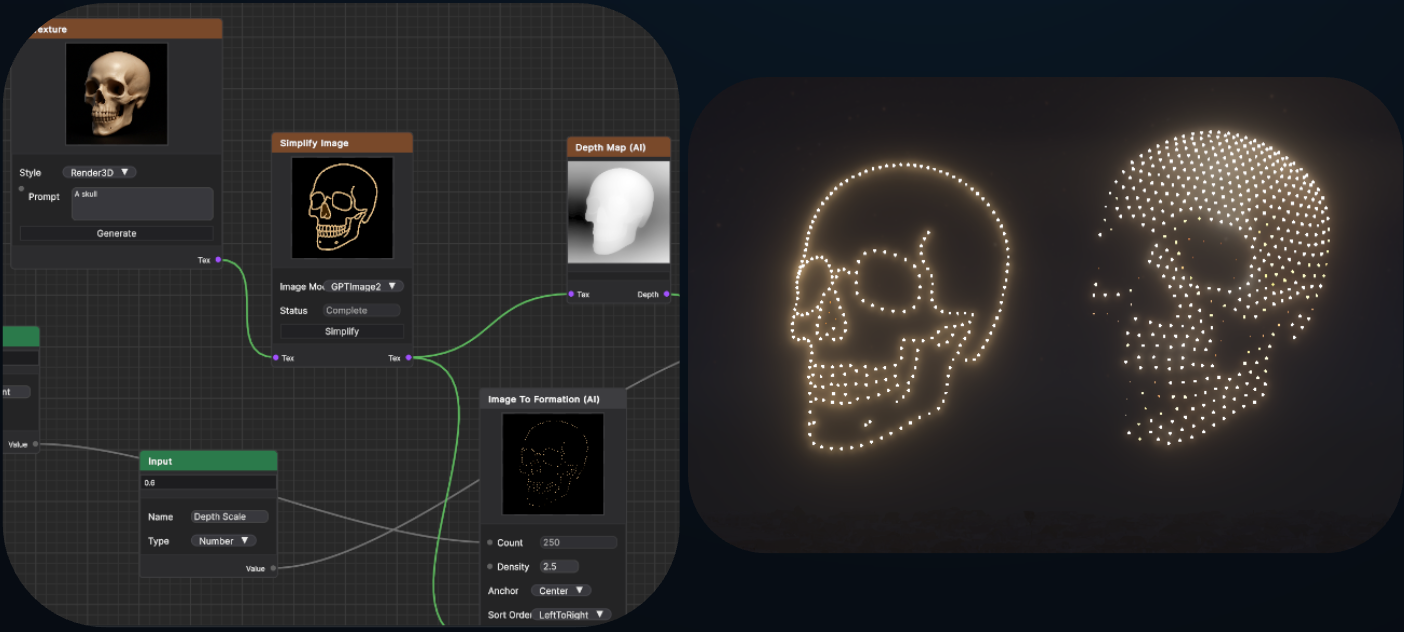
The AI Simplify node uses AI to reduce a formation's complexity, making AI-generated designs usable on smaller drone fleets. This is especially useful for "outline"-style formations, letting shows with modest drone counts still take advantage of AI-assisted design while giving designers more stylistic control over the outcome.

<figure><img src="https://1654204364-files.gitbook.io/~/files/v0/b/gitbook-x-prod.appspot.com/o/spaces%2FakGR2bVCZLTNoe2hkqeR%2Fuploads%2Fgit-blob-af1a531325375092ede10cc85bbcba71f68a0ec4%2FAI-Simplify-Node-Skull-Outline.png?alt=media" alt=""><figcaption><p>The AI Simplify node reducing a formation to an outline-style design better suited to smaller drone fleets</p></figcaption></figure>

### Safety and Validation

Formations created or modified using AI nodes are treated the same as any other show content: they pass through Design Studio's automatic safety checks and flight path deconfliction before a show file can be exported. See [Safety](/drone-show-technology/safety.md) for more on this validation process.

## AI in Verge Portal: Storyboarding

Before a show is designed in detail, show providers can use the Storyboard tool in the Verge Web Portal to plan its narrative arc.

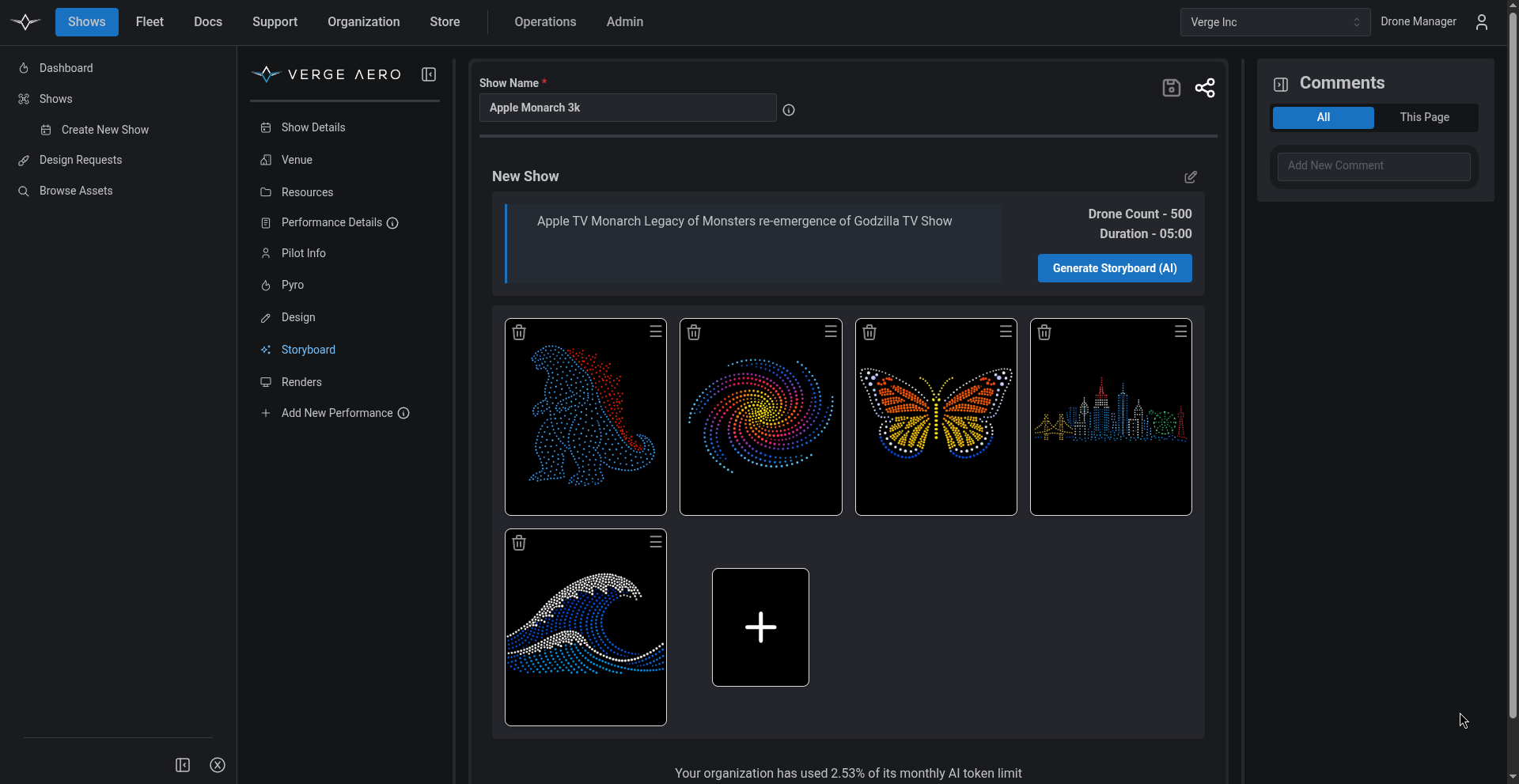
**Purpose:** Storyboard lets a show provider quickly brainstorm, visualize, reorder, and adjust the sequence of elements that will make up a show — all before formal design work begins. Elements are generated from text prompts and image uploads, so a rough concept can be sketched out and rearranged in minutes. Clients can be looped into the brainstorming process directly, or a show provider can share a public view-only link so clients can review a sample storyboard on their own.

<figure><img src="https://1654204364-files.gitbook.io/~/files/v0/b/gitbook-x-prod.appspot.com/o/spaces%2FakGR2bVCZLTNoe2hkqeR%2Fuploads%2Fgit-blob-2cbbf5f4d56db13995c325c63b0770ee82fb675b%2Fgenerated-storyboard.png?alt=media" alt=""><figcaption><p>A show storyboard generated from a text prompt, with individual elements ready to reorder or refine</p></figcaption></figure>

**How it connects to Design Studio:** Once a storyboard sequence is finalized, its elements sync directly into the corresponding show project in Design Studio, where they can be developed into full formations and animations.

**Accessing Storyboard:** Storyboard is available to Verge Aero system users through the Web Portal. After logging in, select the relevant show and navigate to the "Storyboard" tool. From there, enter a text prompt and set the show's parameters (such as drone count) to generate an example sequence to start from.

See our [Storyboarding and Previewing](/drone-show-software/verge-web-portal/shows/storyboarding-and-previewing.md) page for more information.

## Getting Started

AI Design Tools are built into Verge Aero's existing software — there's nothing separate to install. AI Shape, AI Generated, AI Transformation, and AI Simplify nodes are available in Design Studio to any user with an active software license; Storyboard is available to any user with Web Portal access. See [Verge Design Studio](/drone-show-software/verge-design-studio.md) and [Verge Web Portal](/drone-show-software/verge-web-portal.md) for general setup information.

Each AI image these tools generate uses your organization's AI credits, the same monthly balance as the Web Portal's AI features. See [AI Services](/drone-show-software/verge-web-portal/ai-services.md) and [Managing AI Usage and Credits](/drone-show-software/verge-web-portal/managing-ai-usage-and-credits.md).