> For the complete documentation index, see [llms.txt](https://docs.verge.aero/llms.txt). Markdown versions of documentation pages are available by appending `.md` to page URLs; this page is available as [Markdown](https://docs.verge.aero/drone-show-software/quickstart/advanced-mode.md).
# Advanced Mode
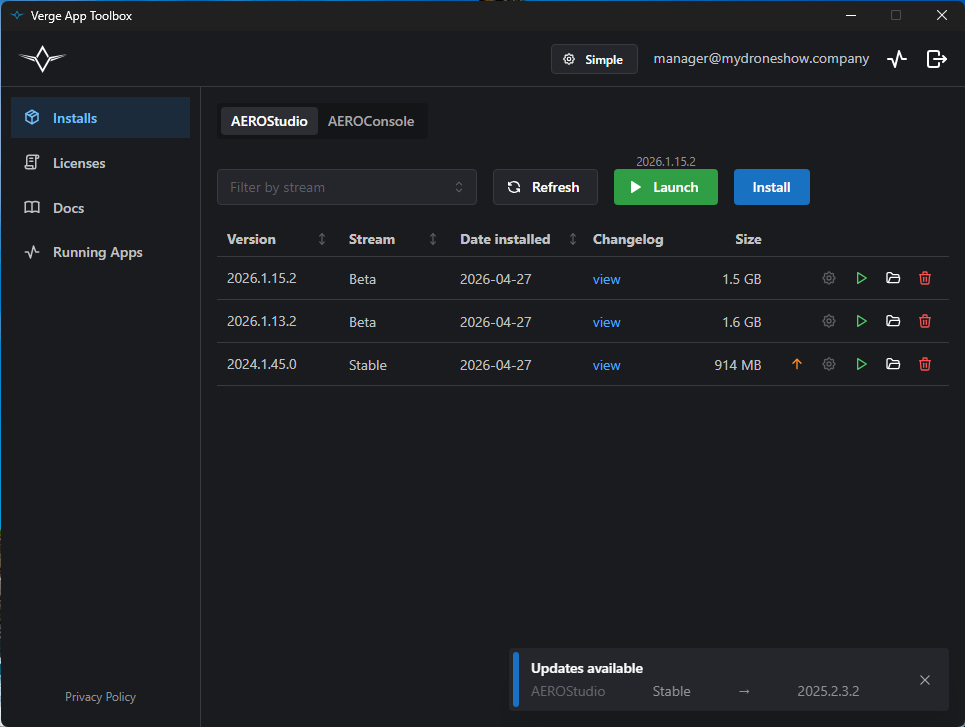
Advanced mode shows the full table of installed builds, with per-row launch and uninstall actions, stream filtering, and direct access to install and update controls. Toggle into it from the **Simple** button in the header.
Advanced mode — installs table for AEROStudio
## App switcher
The **AEROStudio** / **AEROConsole** tabs at the top switch between the two apps. Each app has its own list of installs.
## Header controls
From left to right:
* **Filter by stream** — narrow the table to one or more streams.
* **Refresh** — re-scan disk for installed builds and re-check for updates.
* **Launch** — launches the most recently used build for the active app (or the highest-version installed build if you've never launched anything). The version of the build that will run is shown dimmed above the button.
* **Install** — opens the install dialog.
## Per-row actions
Each row's right-hand action group contains, left to right:
* **Update arrow** — appears only when a newer build is available on this stream.
* **Launch-options cog** — opens the launch-mode picker for this build. Dimmed and disabled when the build defines no launch modes.
* **Green play** — launches this specific build using its saved launch mode (or the build's default).
* **Open folder** — opens the build's install directory in your OS file manager.
* **Trash** — uninstalls the build.
## Installing a build
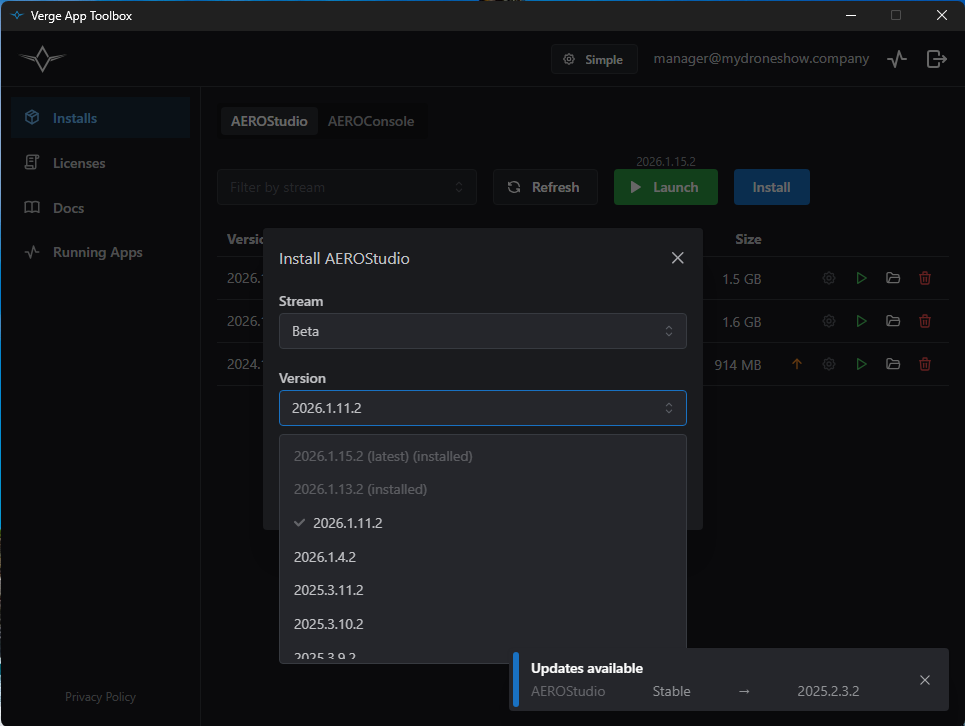
Click **Install** to open the dialog. Pick a **Stream** (filtered to streams you have access to) and then a **Version**. Versions are tagged with **(latest)** for the newest build on that stream and **(installed)** for any version you already have.
Install dialog — versions show "(latest)" and "(installed)" so you can pick at a glance
The toolbox downloads the zip, extracts it, and the new build appears in the table.
## Updates
When any installed stream has a newer build, an **Updates available** toast appears at the bottom-right. It lists the app, stream, and the new version. Dismiss it with the **×** when you're done — it persists until you do.
In the table, an orange **↑** arrow appears in the action column of any row whose stream has a newer version available.